First check whether the page shows a message in red. If it does, look it up in Messages and what they mean. If there is no message, or the page does not continue, work through this page.
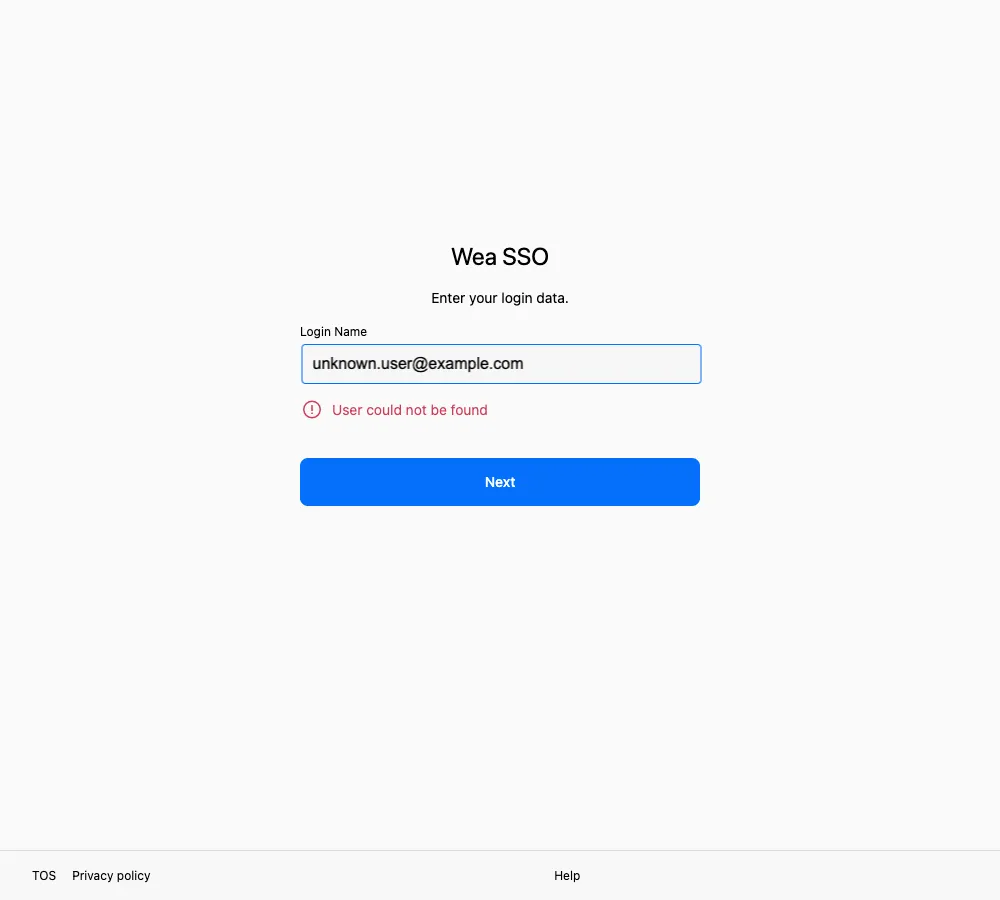
Check the spelling of the login name first. Your administrator creates accounts; you cannot create one from this page.
By symptom
Section titled “By symptom”| What you see | Possible cause | What to do |
|---|---|---|
| “User could not be found” after entering a login name | No account matches that login name | Check the spelling and use the login name your organization gave you |
| The page keeps asking you to sign in | Several sign-in tabs are open, or the browser restricts cookies | Close the extra tabs, keep one, and sign in again; if that fails, leave private-browsing mode and allow cookies for this site |
| Verification succeeds but you do not return to the app | The browser blocked the redirect | Wait a few seconds, then check for a new tab |
| The page says you have no access to an app | Your account signs in fine but lacks access to that app | See Contact support |
| Your usual verification method is missing | A first sign-in is OTP-only; later, that method may not be available for your account, device, or app | Continue with OTP on a first sign-in; later, select Try another way to see current options |
| A verification method shows “Incompatible” | Your browser or device does not support it | Use another method, or try a different device |
| The page keeps loading | Network or temporary service issue | Switch to a stable network and retry later |
Troubleshooting order
Section titled “Troubleshooting order”- Close duplicate sign-in pages and keep only one.
- Confirm that your network connection works.
- Confirm that you entered the login name your organization gave you; it is not always limited to a work email.
- On a later sign-in, select Try another way and pick a method you can complete.
- Start again from the app, or from the official address your organization gave you, rather than an old bookmark.
If it still does not work
Section titled “If it still does not work”Note these details before contacting support:
- The exact message shown on the page
- The time the problem occurred
- The name of the app you were opening
- Your device and browser
For how to reach support, see Contact support.