Use a different account in the same browser, and sign out safely when you are done.
A browser can keep sign-in records for several accounts. If only one account is signed in, WeaSSO may use it automatically. If you have used several accounts, the account chooser appears first.
The account chooser
Section titled “The account chooser”When the browser has existing sessions, the Select Account page lists them. An account that is still signed in has no status label; an ended session is marked Signed out.
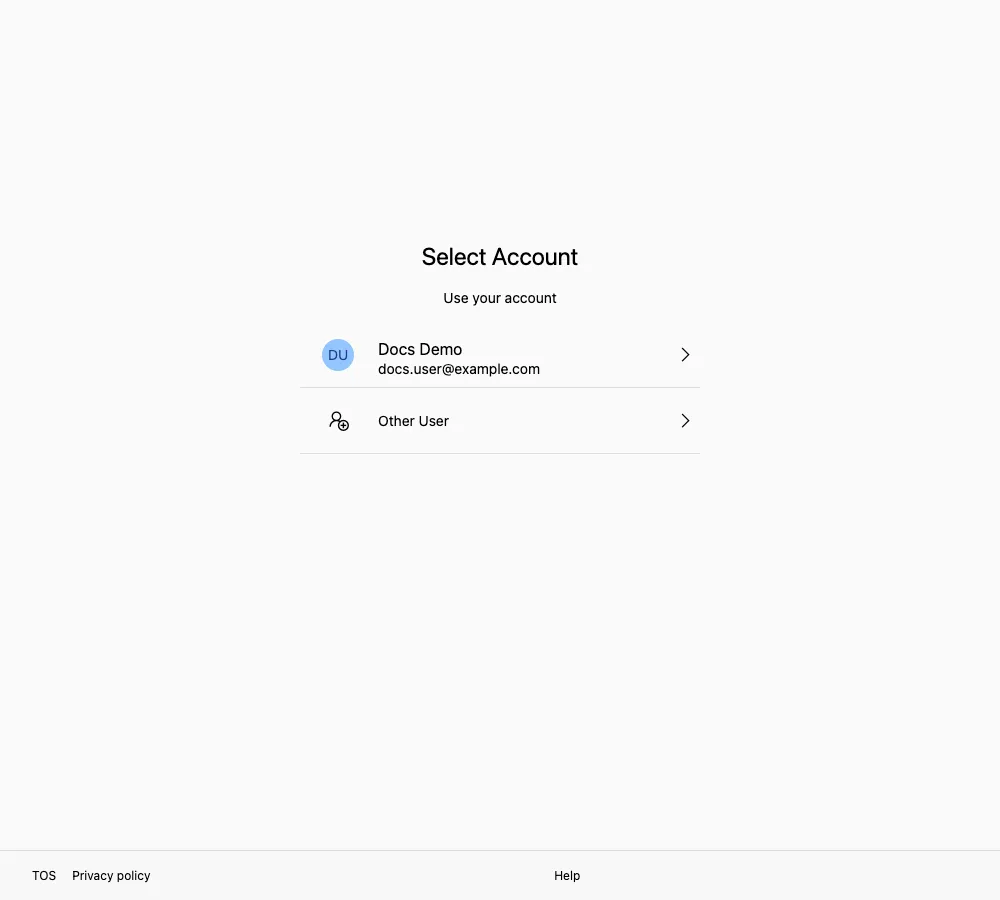
Choose an existing account to continue, or select Other User to enter another login name.
| State | What it means |
|---|---|
| No status label | The account is still signed in. Select it and you go straight through |
| Signed out | That session has ended. If you select it, you have to verify again |
Use a different account
Section titled “Use a different account”- If the account you want is listed, select it. If it shows as signed out, verify again when prompted.
- If it is not listed, select Other User and enter the new login name.
- If you have already started signing in as one account, select the ⇄ icon beside it to return to this list.
If the page says “The user must be member of the XXX organization.”, the account you picked does not belong to the organization this app requires. Use your work account in that organization, or ask SSOSupport Bot to confirm where your account belongs.
Signing out
Section titled “Signing out”You sign out from inside each app, not from the sign-in page. Look for the sign-out option in the app’s profile menu or settings.
Note that signing out of one app does not necessarily clear the session in your browser. Opening another app may take you straight back in with the same account.
Related pages
Section titled “Related pages”- Browser sign-in: Sign in from a browser
- Account safety: Security tips