After creating the account, your administrator gives you the login name and the OTP for your first sign-in. You cannot register or activate an account yourself.
Before you start
Section titled “Before you start”- Install the client app required by your organization
- Get the login name from your administrator
- Get the latest OTP issued by your administrator
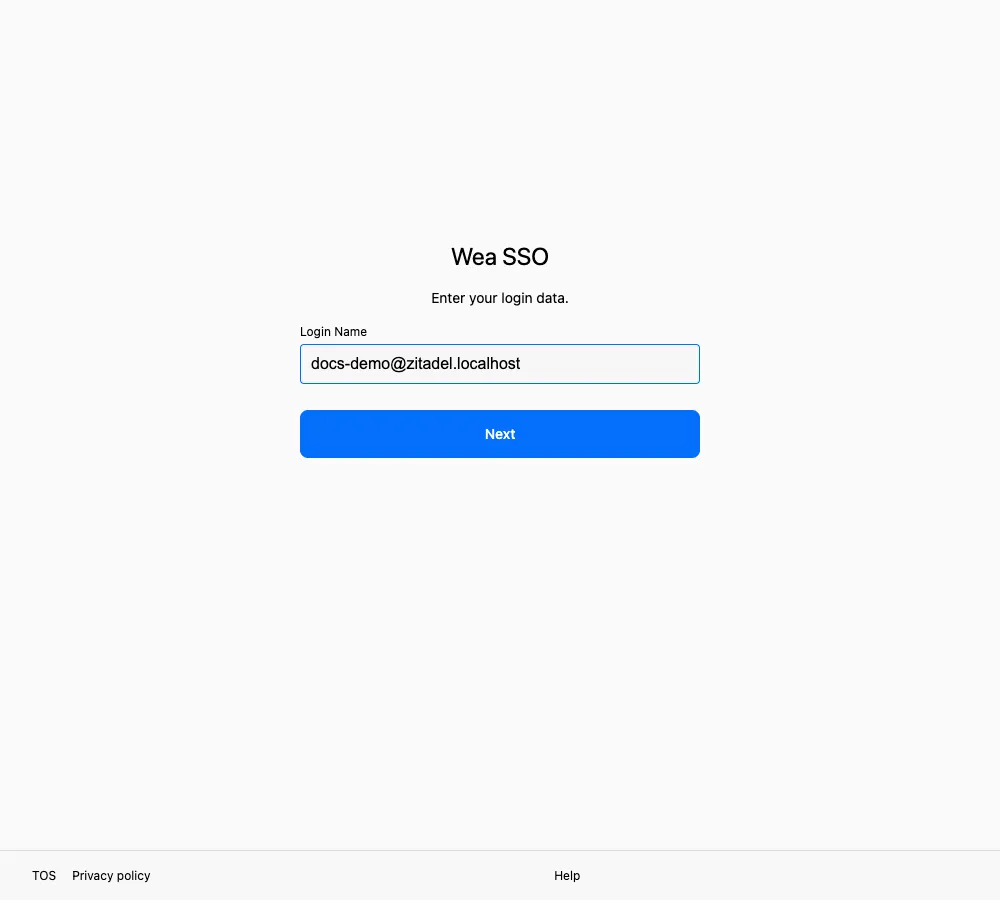
Enter the login name from your administrator, then select Next.
- Open the app and go to sign-in.
- The app brings up the sign-in page, with “Wea SSO” at the top.
- Enter the login name your organization gave you in Login Name, then select Next.
- The One-Time Password page appears. This is the only verification method available on a first sign-in; Passkey, verification with another device, and the OKTA option are not shown yet.
- Enter the latest OTP issued by your administrator, then select Verify.
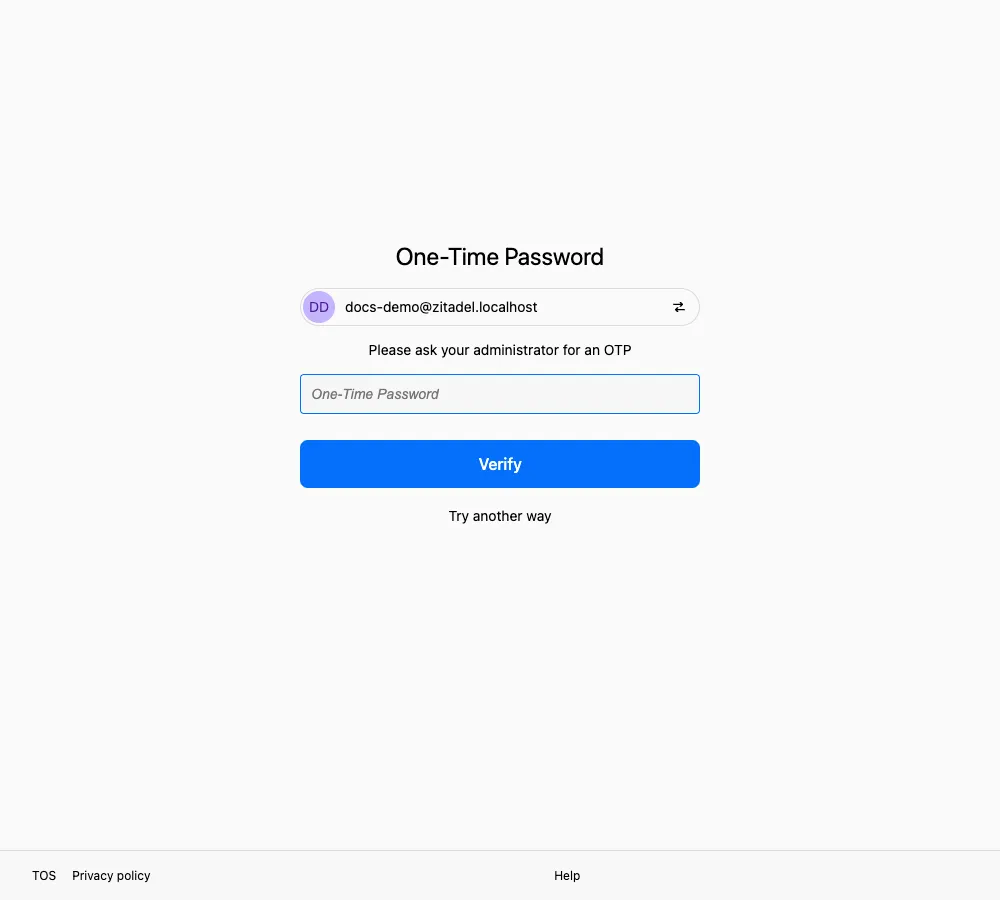
The Try another way link has no usable alternative on a first sign-in, so continue with OTP.
During sign-in, you may see Confirm this sign-in? or a User Consent page. Allow only an app you intentionally opened. See Sign in from an app for the difference.
Set up a Passkey immediately after OTP verification
Section titled “Set up a Passkey immediately after OTP verification”After OTP verification, Setup Passkeys (Biometrics) appears before you return to the client app. It highlights Smooth login without passwords and Keep your account safe.
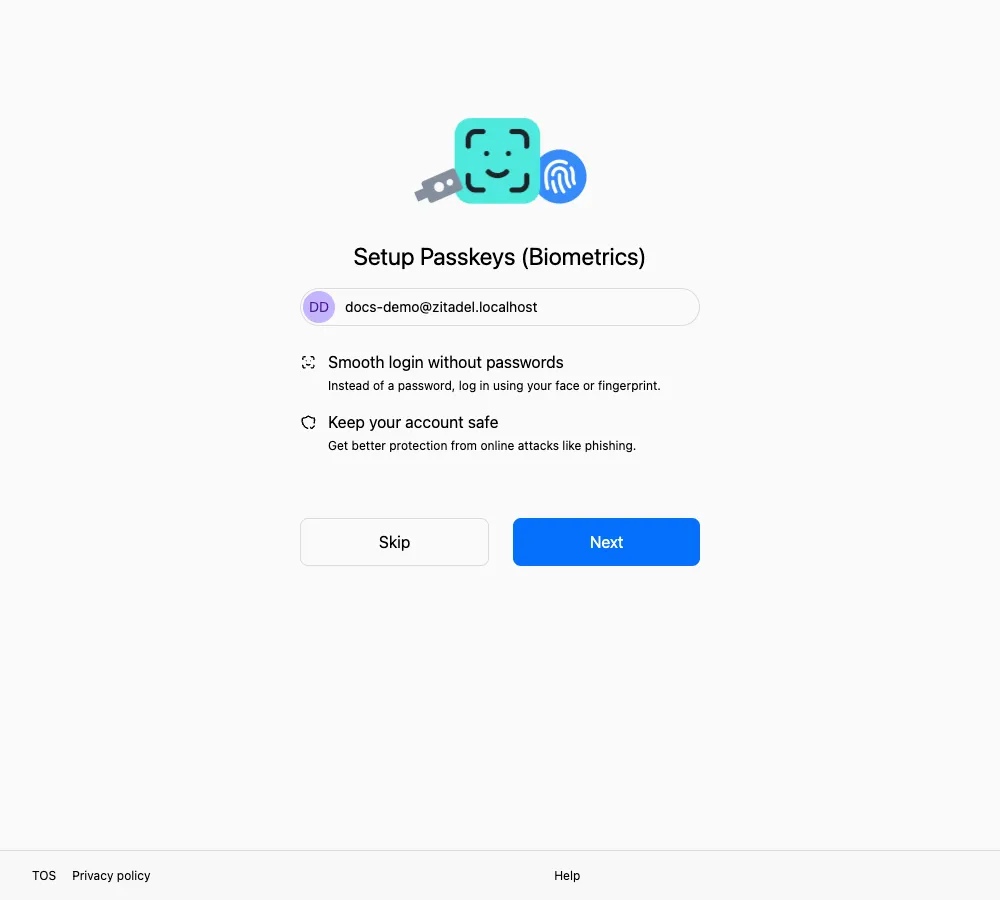
Select Next to register a Passkey. Use Skip only when you must postpone setup.
We strongly recommend selecting Next and completing registration immediately. As long as you still have that device and its Passkey, you can usually verify with your fingerprint, face, or screen lock instead of asking SSOSupport Bot for another OTP.
If you select Skip, a warning appears: “Without a Authentication method enrolled. You will be required to ask for an OTP from your administrator to sign in to your account next time.” After skipping, the next sign-in still requires a new OTP from SSOSupport Bot.
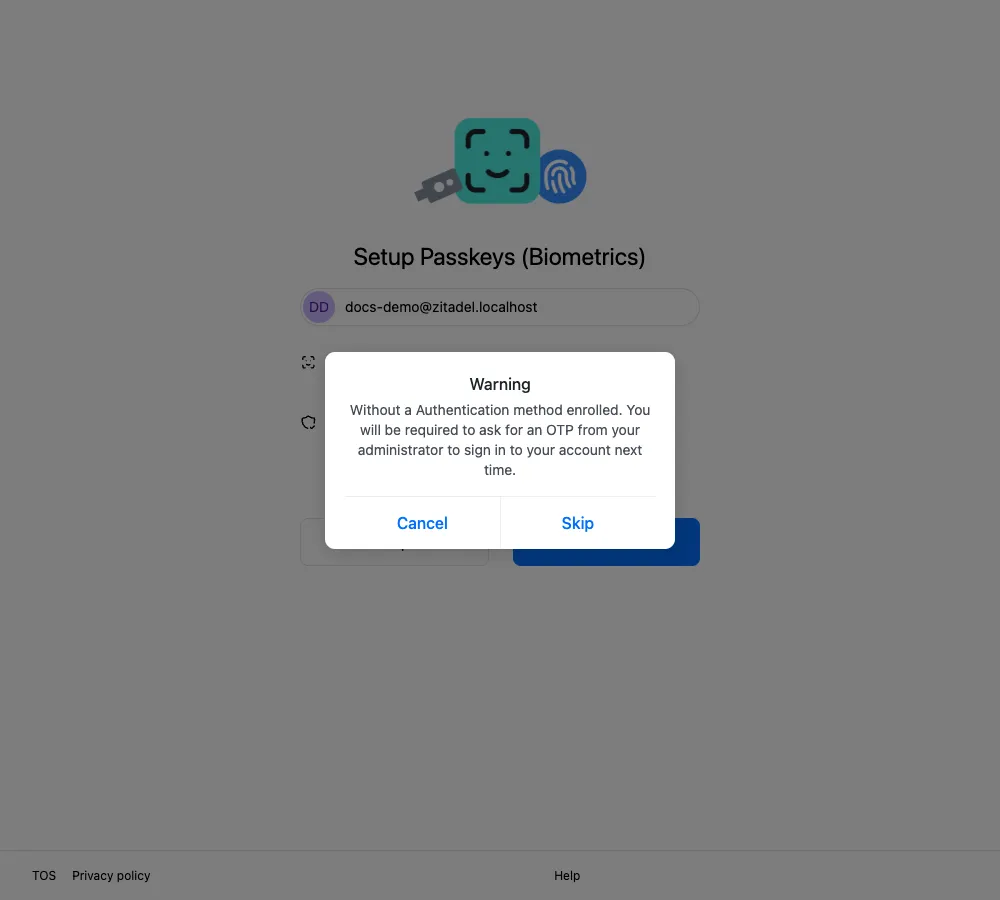
Skip only if you can reach SSOSupport Bot before your next sign-in.
For the steps, see Passkey.
After you complete Passkey registration or skip it, the page shows Success. Use the button on that page to return to the client app.
How to tell it worked
Section titled “How to tell it worked”- The app no longer sends you to the sign-in page
- The client app shows your account, and your messages and files load normally
If sign-in does not continue
Section titled “If sign-in does not continue”- A message you do not understand: Messages and what they mean
- You keep landing back on the sign-in page, or verification keeps failing: Troubleshooting
- You need a person: Contact support